ReLeaf · iGEM 2026

Every pin.
Its own socket.

A hand-wired carrier for the Arduino UNO Q. Twelve volts go in, three supply rails come out, and each I/O pin gets a keyed socket with ground and a jumper-selected supply beside it.

12 · 5 · 3.3 V
jumper-selected per socket
26
keyed sockets
20
I/O pins broken out

The wiring, at a glance.

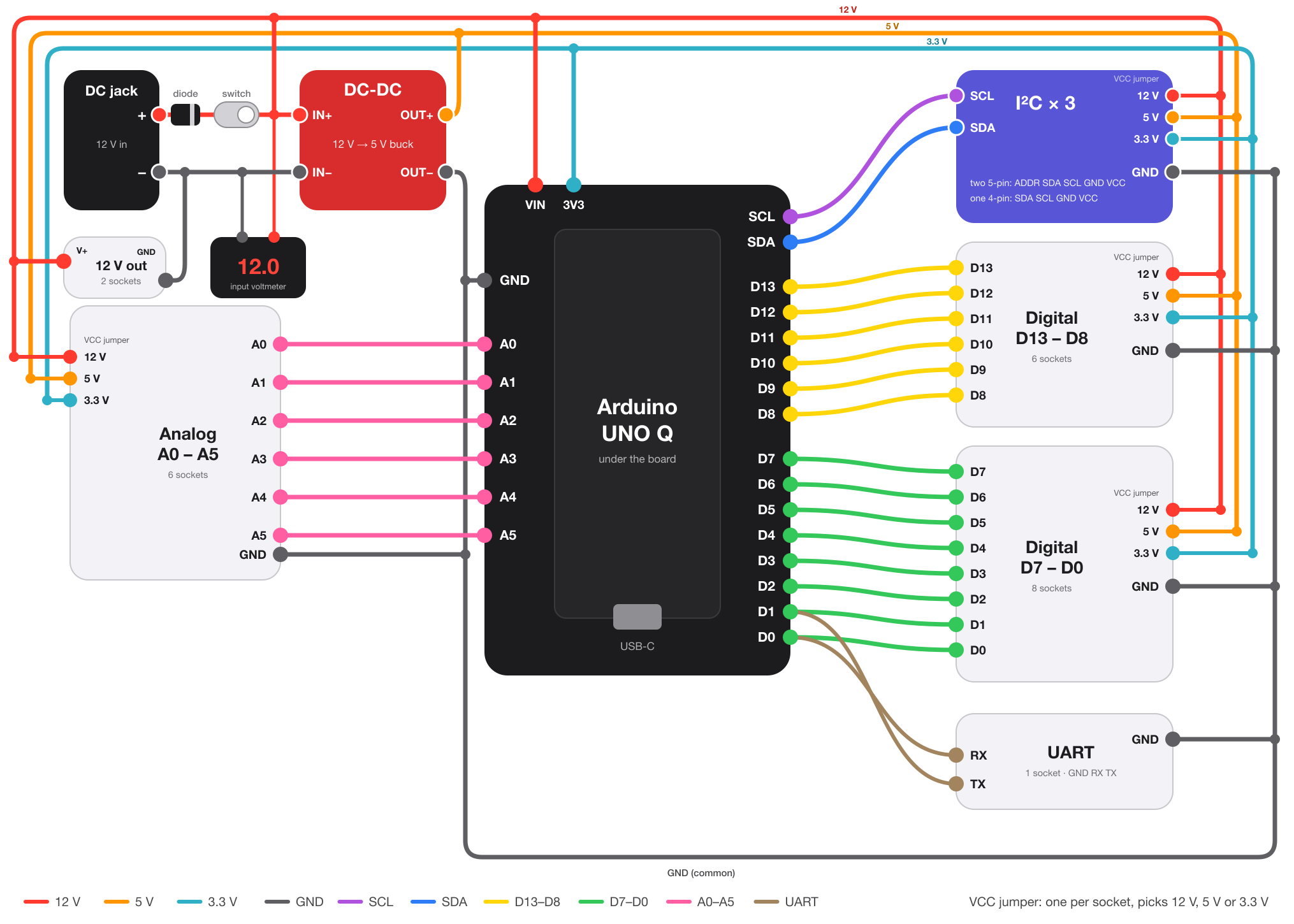
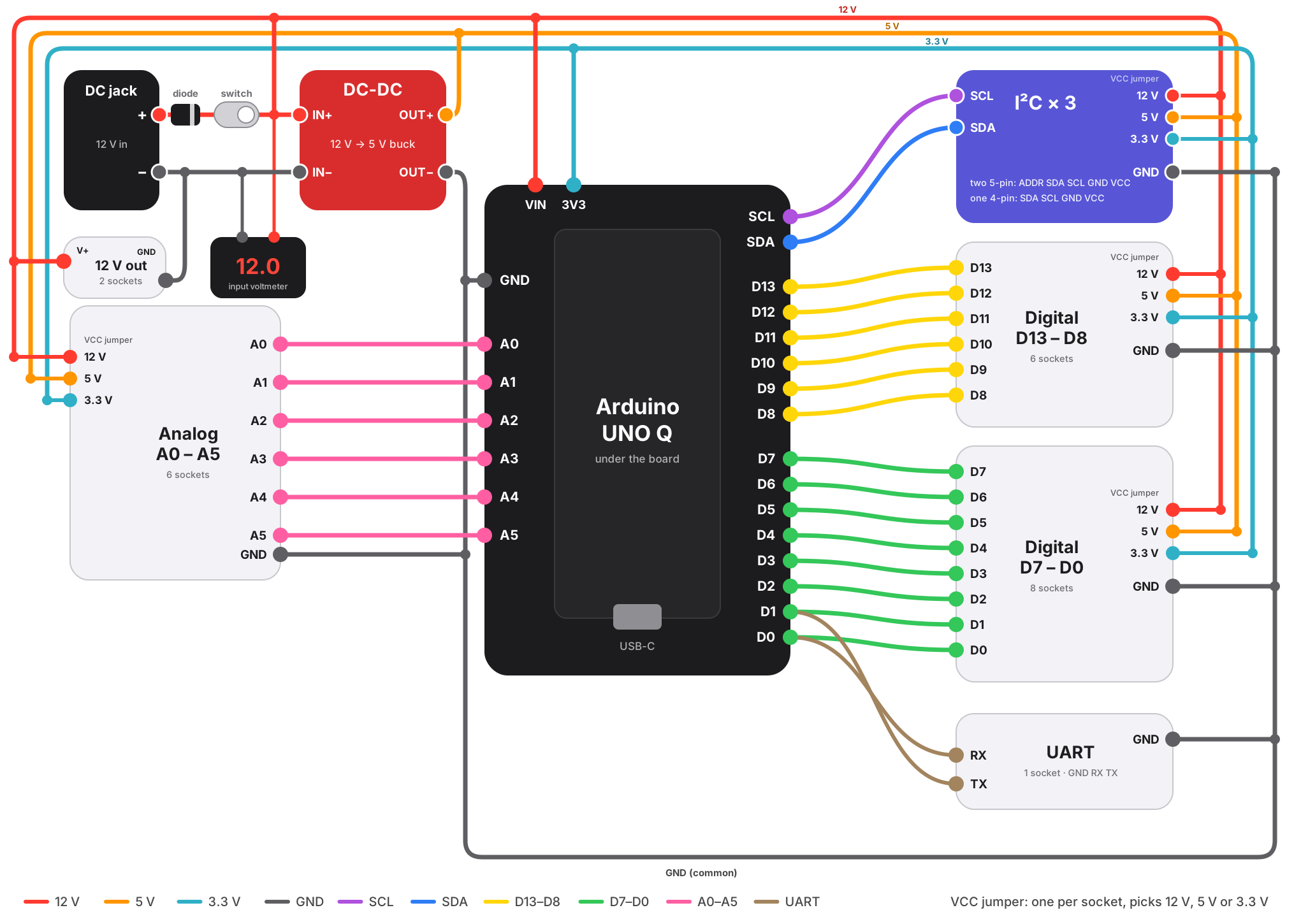
One colour per signal group. Three supply rails run around the outside, ground along the bottom, and a jumper beside each socket picks which rail feeds it.

Colour-coded wiring diagram: 12 V input, voltmeter, DC-DC buck module and diode feeding a 5 V rail; Arduino UNO Q in the centre wired to I2C, digital, analog and UART sockets

SVGPNGSockets of the same type are grouped into one block.

The schematic.

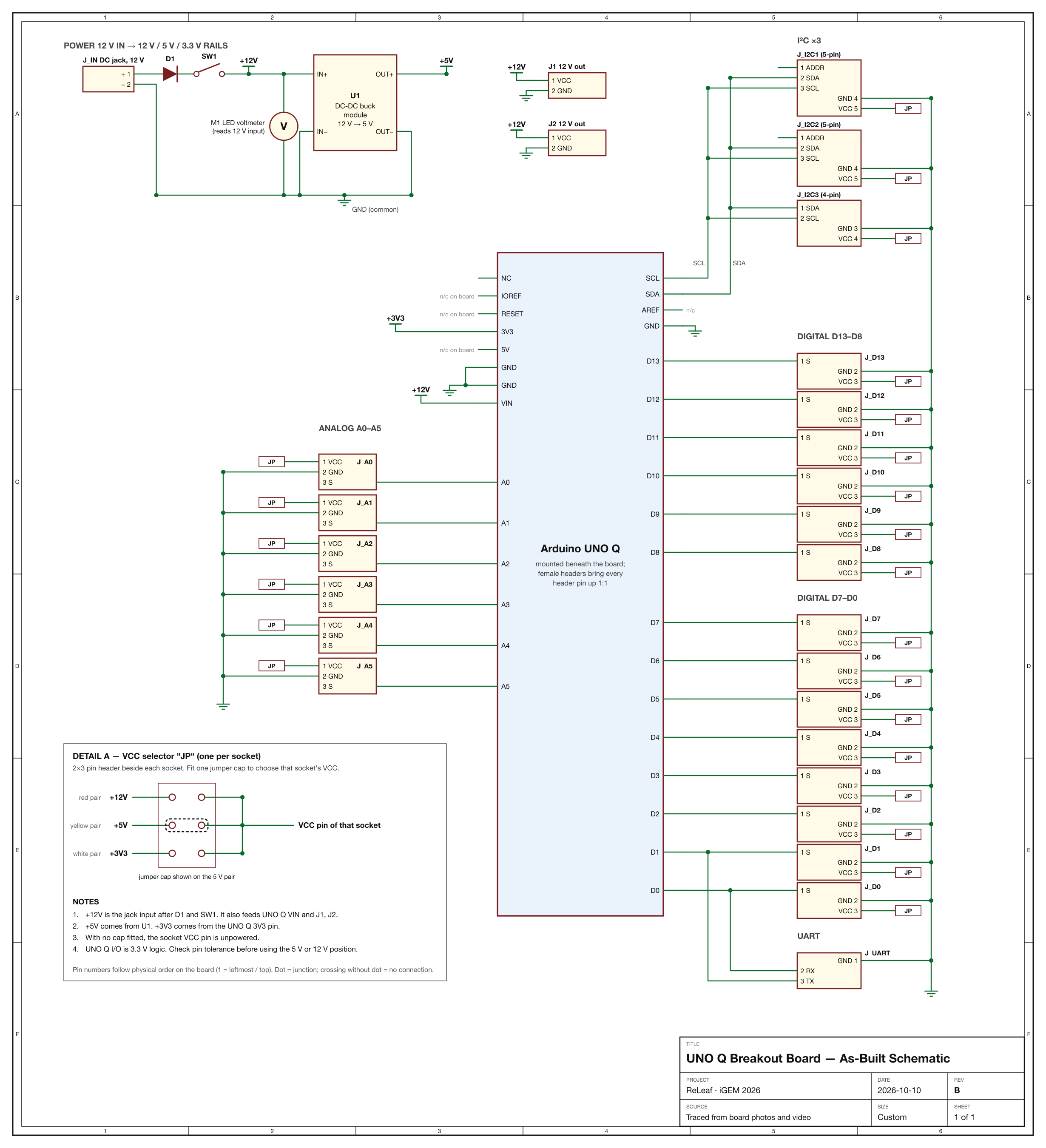
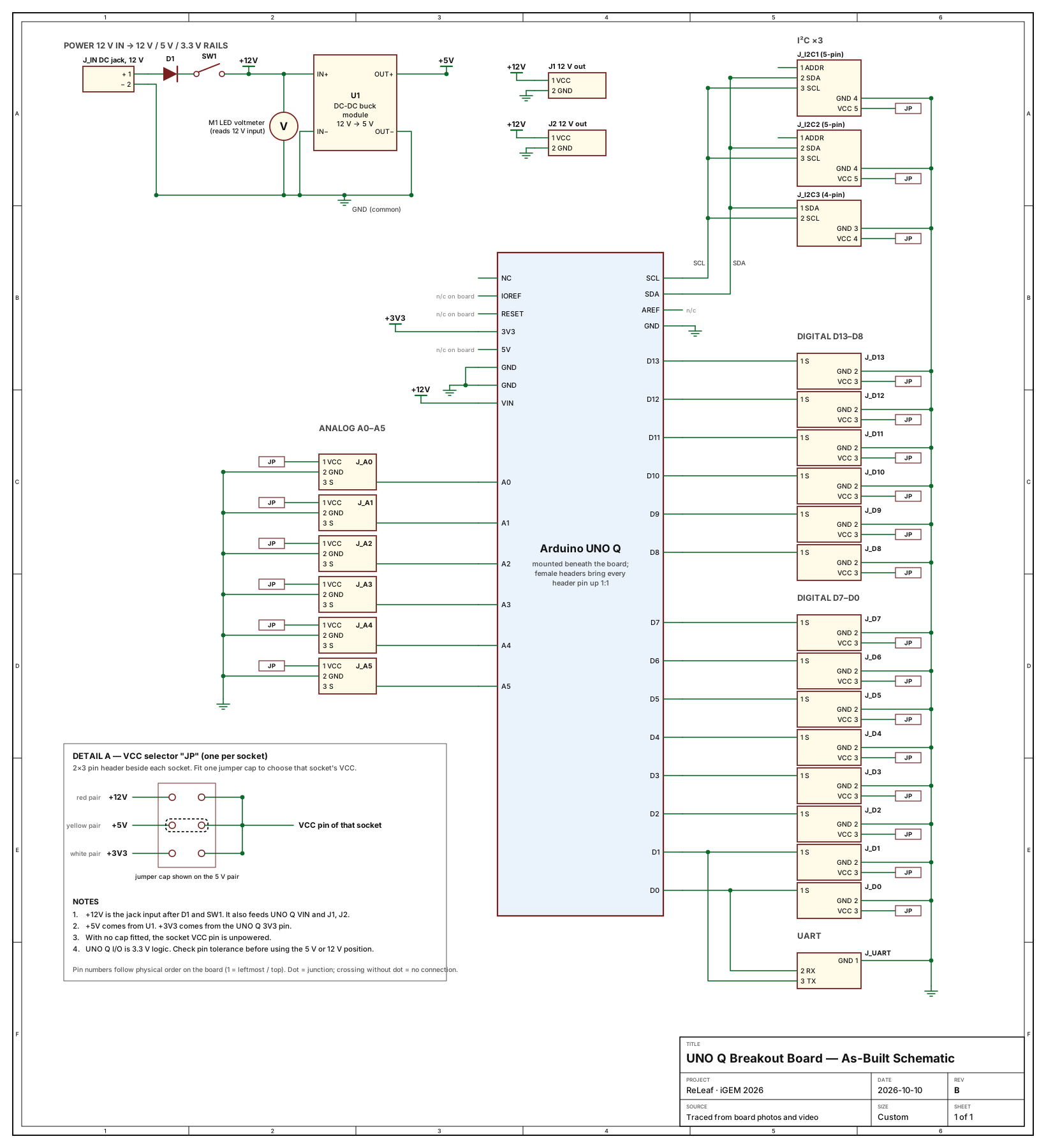
Drawn back from the finished board. Each socket's supply goes through a selector marked JP; Detail A on the sheet shows how one works.

As-built schematic of the UNO Q breakout board: power section, Arduino UNO Q header block, and I2C, digital, analog and UART sockets

PDFSVGPNGRev B · 2026-10-10

How it works.

Three jobs on one perfboard: make the supply rails, lift the controller's pins up to the top surface, and fan them out.

1 · Power

One input, three rails.

12 V enters at the DC jack and passes a protection diode and a toggle switch. It feeds the UNO Q's VIN, an LED voltmeter and two 12 V output sockets. A buck module makes 5 V; the UNO Q's own 3V3 pin supplies 3.3 V.

2 · Carry

The UNO Q rides underneath.

The board has a window cut for the controller. Female headers soldered around it take every UNO Q header pin straight up onto the perfboard, one to one.

3 · Break out

Signal, ground, your choice of power.

Each analog and digital pin ends in a 3-pin keyed socket. A 2×3 header beside it takes one jumper cap: red pair for 12 V, yellow for 5 V, white for 3.3 V.

Sockets and pin order.

Pin order is given as you look at the component side with the USB-C port at the top. Check it before you crimp a cable.

DC jack→Diode→Switch→12 V · 5 V · 3.3 V rails→Jumper→Socket VCC

12 V out

2 sockets · left edge, above the analog row
VCCGND
left → right

I²C, 5-pin

2 sockets · top right
ADDRSDASCLGNDVCC
left → right

I²C, 4-pin

1 socket · top right
SDASCLGNDVCC
left → right

Digital D13–D8

6 sockets · right edge
SIGGNDVCC
left → right

Digital D0–D7

8 sockets · bottom edge
SIGGNDVCC
top → bottom

Analog A0–A5

6 sockets · left edge
VCCGNDSIG
left → right

UART

1 socket · bottom right
GNDRXTX
left → right

The board.

Component side and solder side.

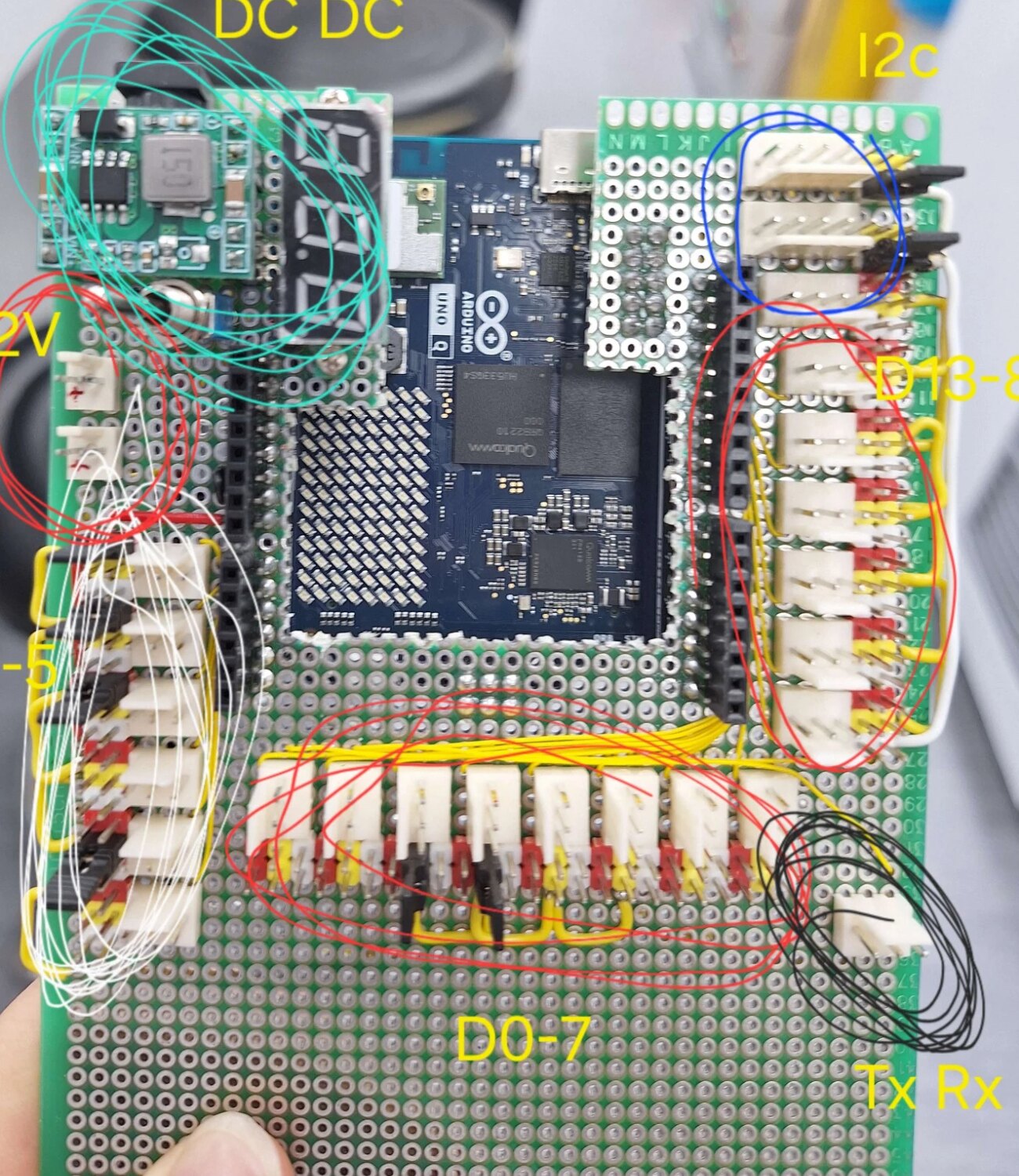
Component side of the breakout board with the UNO Q visible through the cut-out and each socket group circled and labelled
Component side, with the builder's labels for each socket group.
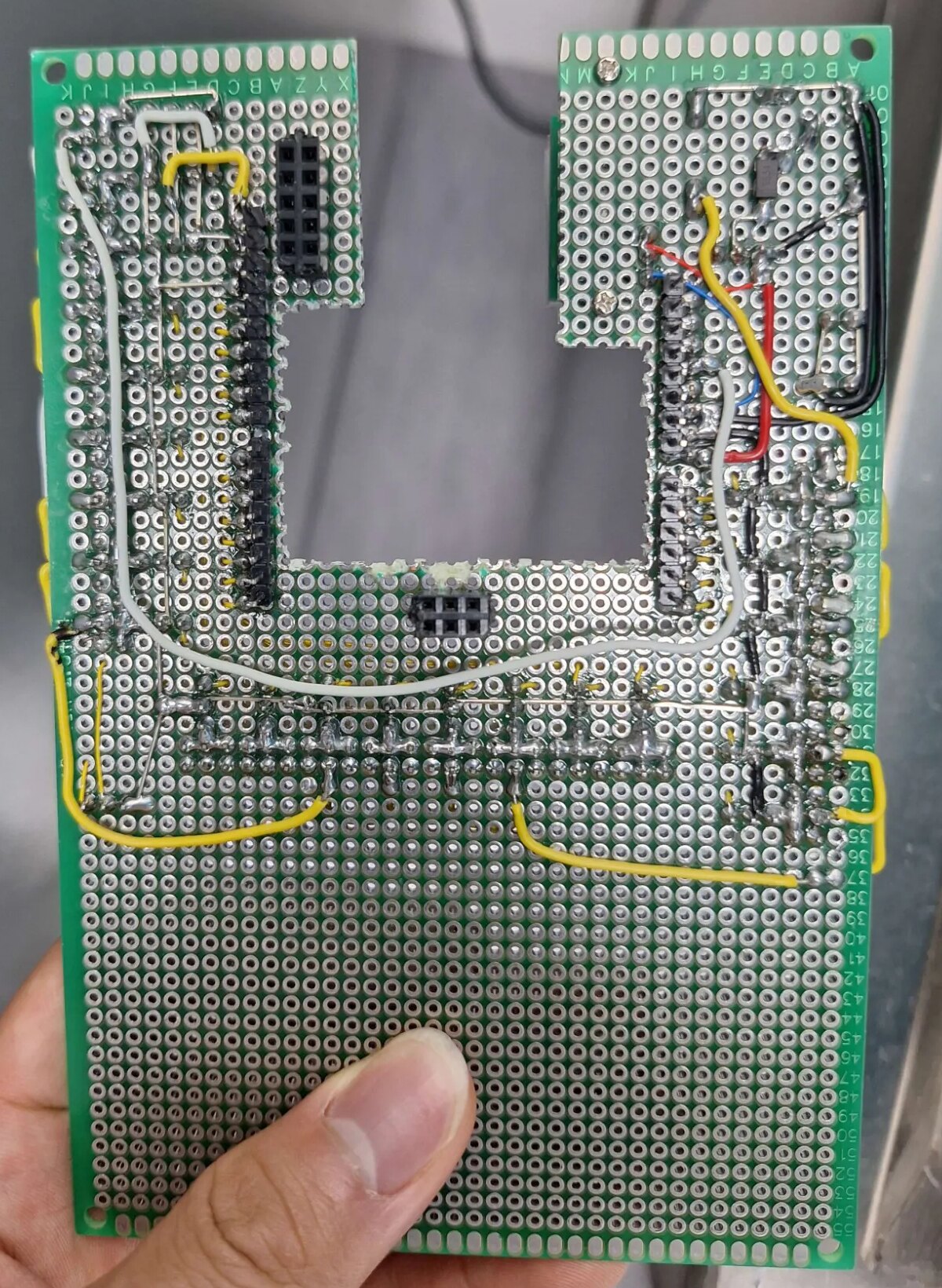
Solder side of the breakout board showing the female headers, jumper wires and the diode
Solder side. The diode is the small black part near the top right.

Before you plug in.

The jumpers make the board flexible. They also make it possible to put the wrong voltage on a sensor.
  1. Set the jumper first.Each socket's VCC follows its own cap: red pair is 12 V, yellow is 5 V, white is 3.3 V. With no cap fitted, the socket has no supply.
  2. 12 V is live on the red pairs.A cap on a red pair puts the full input voltage on that socket. Use it only for parts rated for 12 V.
  3. 3.3 V comes from the UNO Q.The white rail is fed by the controller's 3V3 pin, so its current is limited by the UNO Q's regulator.
Check logic levels. The UNO Q's microcontroller runs at 3.3 V. A sensor powered from 5 V or 12 V can drive an input above that. Check the UNO Q datasheet for which pins tolerate 5 V.